Production scheduling software for job shops: machines, shifts and due dates
Production scheduling software places each job's operations on the machines that can run them, in routing order, within the hours each machine is staffed, and shows which jobs will miss their due date before it happens. In a job shop it replaces the spreadsheet or whiteboard with one shared schedule, built from each job's routing, real shift hours and due dates, that updates when a rush order arrives or a machine goes down.
Pujan Motiwala · Written for US job shops and small manufacturers · QuickBooks facts checked against Intuit's pages on
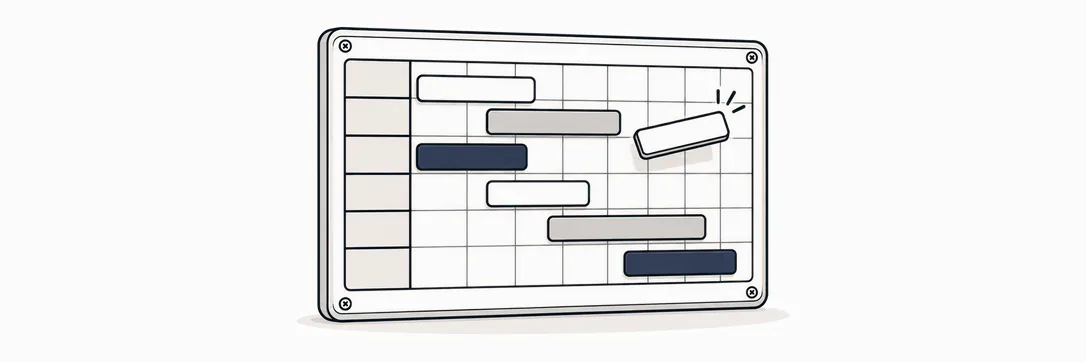
Try it: a finite schedule for three machines
Five made-up jobs on a laser, a press brake and a welding cell, each with its routing. Jobs are taken earliest due date first; each operation waits for its machine and for the job's previous operation.
| Job | Due (end of day) | Finishes (day) | Status |
|---|---|---|---|
| J-102 covers | 2 | 1 | On time |
| J-101 brackets | 3 | 3 | On time |
| J-104 guards | 3 | 3 | On time |
| J-103 frames | 4 | 4 | On time |
| J-105 panels | 5 | 4 | On time |
Every job ships on time. A real schedule also checks material on hand and who can run each machine; the rule stays the same.
What does production scheduling software do in a job shop?
It places each job's operations on the machines that can run them, in routing order, within the hours each machine is staffed, and shows which jobs will be late before they are. It needs four inputs, and most bad schedules are missing one of them:
| Input | What it is | Where it usually lives today |
|---|---|---|
| Routing for each job | The operations in order, the machine or work center for each, setup and run time | In the estimator's head, or on the quote |
| Capacity | Which machines exist, their shifts, planned downtime | On the wall, or nowhere |
| Due dates | When each job must ship | In the order, or the customer's email |
| Material | Whether the material for each job is in stock or due in | In QuickBooks or the stores, often out of date |
A routing is the piece shops most often lack. If quotes are built from operations and times, the routing already exists; see job costing, where the same times become the estimate.
What is the difference between finite and infinite capacity scheduling?
Finite scheduling only books a machine for the hours it has; infinite scheduling assumes every machine is free when needed. Infinite capacity scheduling works backward from the due date and assumes every machine is free when needed. It answers "when must this start?" and is how classic MRP plans. It is why a schedule can show the laser booked for 30 hours on a Tuesday.
Finite capacity scheduling only books a machine for the hours it has. When the laser is full, the next job waits, and its later operations move with it. That answers the question customers actually ask: "when will it ship?"
The demo above is finite. With one shift, the five sample jobs all ship on time. Add a rush order due tomorrow and it goes first, and frame job J-103 slips a day, because both the rush job and J-103 need the welding cell and the weld cell is the bottleneck. Switch to two shifts and everything ships on time again. That is the trade a scheduler weighs every day, made visible.
The numbers behind it, from the demo's own data: the weld cell has 18 hours of work (J-101's 5, J-104's 3 and J-103's 10), and the rush job adds 4 more. The rush job also takes the laser first, so every job behind it starts 2 hours later. On one 8-hour shift, J-103's weld then ends at hour 33 of the plan, one hour into day 5, when it was due by the end of day 4 (hour 32). On two shifts the same hour 33 falls on day 3. Notice that the weld cell is booked 22 of its 32 hours over those four days, 69%, and a job is still late: lateness comes from the order operations queue in, not only from how full a machine is.
How does scheduling software decide which job goes first?
By a fixed rule, an optimizer, or a planner using the software to check capacity. From simplest to most complex:
- Dispatch rules. Take jobs in a fixed order (earliest due date first is the common one, as in the demo) and give each operation the first slot its machine and the previous operation allow. Predictable: a planner can check any result by hand.
- Optimizers (APS). Advanced planning and scheduling tools search many orders to cut lateness or changeovers. Better on paper, but harder to explain, and a plan nobody understands tends to be overridden on the floor.
- People with a tool. The planner drags jobs around a board; the software checks capacity and shows the knock-on effect. Most small shops land here.
For a shop of 10 to 50 people, a dispatch rule plus a planner who can override it usually beats an optimizer. The bigger win is having one schedule everyone trusts.
Where does AI help with scheduling, and where shouldn't it decide?
AI is useful around the schedule: reading a new order's drawing or email into a draft routing, warning that a job is drifting late, or explaining in plain words why J-103 moved. It shouldn't decide machine assignments by itself. A schedule must respect hard limits, such as machine hours, routing order and material on hand, and a rule or solver can guarantee those; a language model can't. Our rule: AI drafts and explains, rules and people decide, the same split we use where a suggestion ends up on a quality document (same confidence, different autonomy). More on what AI can safely do across an ERP: AI in ERP.
Why does a spreadsheet or whiteboard schedule stop working?
Because it works only while one person owns it and keeps it current. Shop owners on Practical Machinist describe the same path: a sheet with one column per machine and a row per day, or a whiteboard, which works while one person owns it. It breaks when:
- two or three people edit it, and the copies drift apart;
- a job's later operations don't move when its first one slips;
- nobody can say when a new order could ship without redoing the whole sheet;
- the floor's actual progress never makes it back, so the plan slowly turns into fiction.
The last point is the real limit. A schedule needs to know what has actually finished, which means operators recording each operation as they complete it, the same data job costing needs; see WIP tracking with barcoded travelers.
If you're not ready for software, the free job shop schedule template does the capacity check in Excel.
Does our boiler demo schedule the shop?
Partly. The US boiler demo sets each work center's shifts, hours per shift and working days, shows the hours booked against them, and shows open work orders as bars with a delayed flag and a material check. It doesn't reschedule jobs by itself: dates move through a change note that someone approves. The finite schedule on this page is a separate demo.
What should you ask a scheduling software vendor?
Six questions, and ask for each answer live on your own jobs:
- Does it schedule to finite capacity, per machine and shift, or only backward from due dates?
- Can it take the routing straight from the quote?
- What happens to a job's later operations when an earlier one runs late?
- Can a planner override a slot without breaking the rest?
- How does finished work get back from the floor, and how quickly?
- Does it check material before scheduling a job?
Bring two or three of your own jobs to the demo and ask them to schedule them live. For choosing the rest of the system, see ERP for job shops; for where scheduling sits next to QuickBooks, see does QuickBooks work for manufacturing.
Quotes, jobs, routings, stock and shop-floor time in one system, with QuickBooks kept for the books. Start with a working prototype of your main workflow, on your own data, in 2 weeks for $1,500, credited to the build if you continue.
Stock, reservations and approvals in a live system, with sample logins: try the inventory demo.
Official sources
- Machine scheduling (forum discussion). Practical Machinist, November 2, 2026.
- Machine scheduling software, not quite ERP (forum discussion). Practical Machinist, November 2, 2026.
What this page is not
A guide written by Ahrom Labs, a software company that builds operations systems for manufacturers. Where it describes QuickBooks, the facts come from Intuit's own pages on the date shown, and Intuit changes its plans often: check your edition before relying on it. QuickBooks is a trademark of Intuit Inc.; Ahrom Labs is not affiliated with Intuit. Not accounting or tax advice. Last updated .
Talk to us about your systems.
Tell us what's held together with workarounds right now. We reply to every message ourselves.